

You’re in control
Choose when to move to the next step and keep each child’s path separate.
Opening your music garden
Getting your keys and saved place ready…
 little keys
Three free lessons · no account needed
Little Keys offers gentle online piano lessons for children, with a clear place for parents.
Playful practice, familiar songs, and a friendly Fox to guide the way. Children can explore piano at their own pace, with simple tools for parents.

 How it works
A simple path for a meaningful start. Children explore, practise and grow, with you by their side.
Three playful introductory lessons are free to try now, with no account needed.
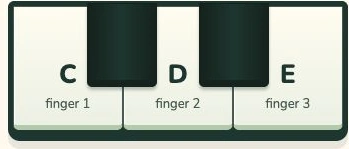
Children can play using the on-screen piano or an acoustic or electronic keyboard. The lessons work either way.

With a paid Family plan and cloud-saving permission, each child’s completed steps are saved in My Garden, so you can see their progress and help them choose what to do next.

Family plan
US$14.99/month
A simple plan for your family’s piano journey.
One plan includes 2 children.

US$5 each per month, up to 8 children total.
The complete first month includes 20 guided visits. Your family plan renews monthly until cancelled. Review your plan and the final total in your parent account before subscribing.
 For parents
Little Keys is designed for families, with parent-controlled progress and private child profiles. You can see each child’s completed steps in My Garden and help them choose what to do next, while they enjoy the lessons in a focused space.
Choose when to move to the next step and keep each child’s path separate.
With cloud saving enabled, completed steps stay with your family’s parent account, ready to play again.
Child profiles stay private and focused on learning, with a calm space for lessons.